Aquarium Tracker1
Publisher Description
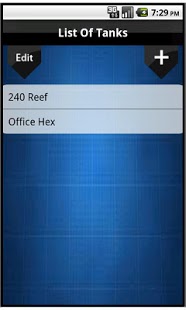
Track the water parameters for your Saltwater Aquariums. This maintenance app features all the major parameters to track Ph, Calcium, Nitrate, Magnesium, Temperature, Alkalinity, Nitrites, Nitrogen, Salinity, Ammonia and Phosphates. You also have two custom fields to use for tracking any other parameter.
You can track the life span of your light bulbs, so no more guessing as to when you need to replace them or if the PAR has dropped. You can track anything that has a life span, like carbon, GFO, RO Membrane, etc., in this section using the Other option.
This app offers you a great reporting tool to see how your tanks have maintained over time. Three graphs are available for each parameter: one for a week’s time frame, one for a month, and one for a year. The app also offers a report showing averages for each parameter.
Future enhancement to come:
Backing up and restoring data
E-mailing data and alerts
Livestock tracking along with pictures
change tracking measurements units, ex(dKh to ppm, or F to C, etc)
Add common calculating tools like volume calculations and conversions used.
About Aquarium Tracker
The company that develops Aquarium Tracker is Avid Reefer. The latest version released by its developer is 1. This app was rated by 1 users of our site and has an average rating of 3.0.
To install Aquarium Tracker on your Android device, just click the green Continue To App button above to start the installation process. The app is listed on our website since 2011-07-04 and was downloaded 38 times. We have already checked if the download link is safe, however for your own protection we recommend that you scan the downloaded app with your antivirus. Your antivirus may detect the Aquarium Tracker as malware as malware if the download link to com.BeanPets.AquariumTracking is broken.
How to install Aquarium Tracker on your Android device:
- Click on the Continue To App button on our website. This will redirect you to Google Play.
- Once the Aquarium Tracker is shown in the Google Play listing of your Android device, you can start its download and installation. Tap on the Install button located below the search bar and to the right of the app icon.
- A pop-up window with the permissions required by Aquarium Tracker will be shown. Click on Accept to continue the process.
- Aquarium Tracker will be downloaded onto your device, displaying a progress. Once the download completes, the installation will start and you'll get a notification after the installation is finished.
Program Details
System requirements
Download information
Pricing
Version History
version 1
posted on 2011-07-04
version 1
posted on 2011-07-04
Several fixes and updates
